
Studio Karaoke
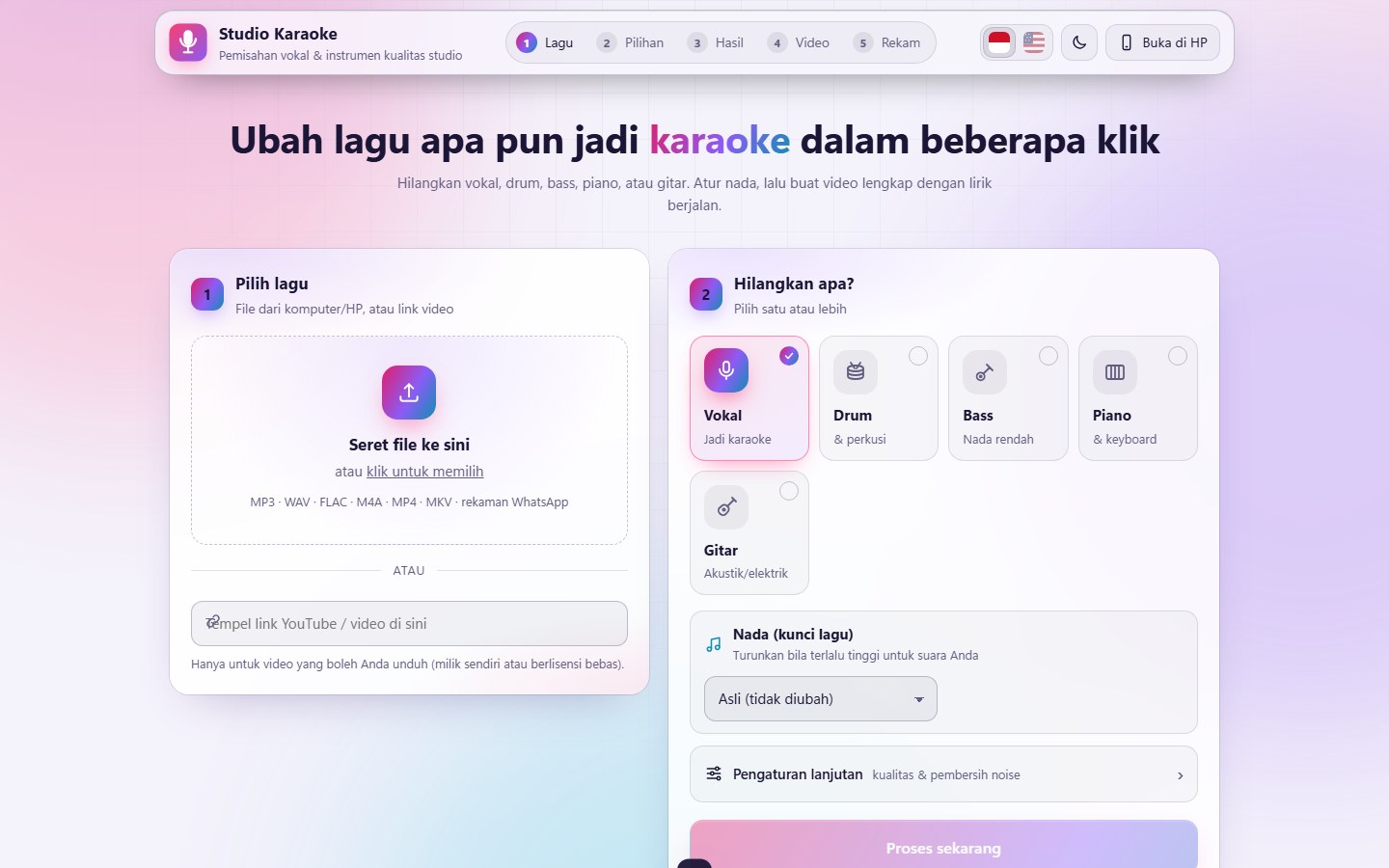
A karaoke studio in the browser. Choose a song from a computer or phone, pick what to remove, and get a clean backing track. The key can be changed, lyrics run automatically, your voice can be recorded and mixed in, and the result can be exported as a widescreen or vertical karaoke video.
🔗 karaoke.2-31-196-130.sslip.io

Features Your Business Actually Needs
Designed around the real needs of the people who use it.
Remove the Vocals
Get a clean backing track for karaoke in a few minutes.
Separate Instruments
Mute drums, bass, piano or guitar to practise playing along, one or several at a time.
Change the Key
Shift up or down by up to 6 semitones without changing the tempo, to suit the singer’s voice.
Automatic Lyrics
Lyrics follow the singer’s voice, or paste the original lyrics and match their timing.
Karaoke Video
Export an MP4 in 16:9 widescreen or 9:16 vertical for phones, with lyrics along the bottom.
Record Your Voice
Sing along to the music, then your voice is mixed into a full track with echo and timing adjustment.
Quality & Noise Cleaner
Advanced settings to choose the separation quality and clean up noise in the result.
Private History
History can only be seen by the account owner, and results are deleted automatically after 2 days.
Interactive Demo
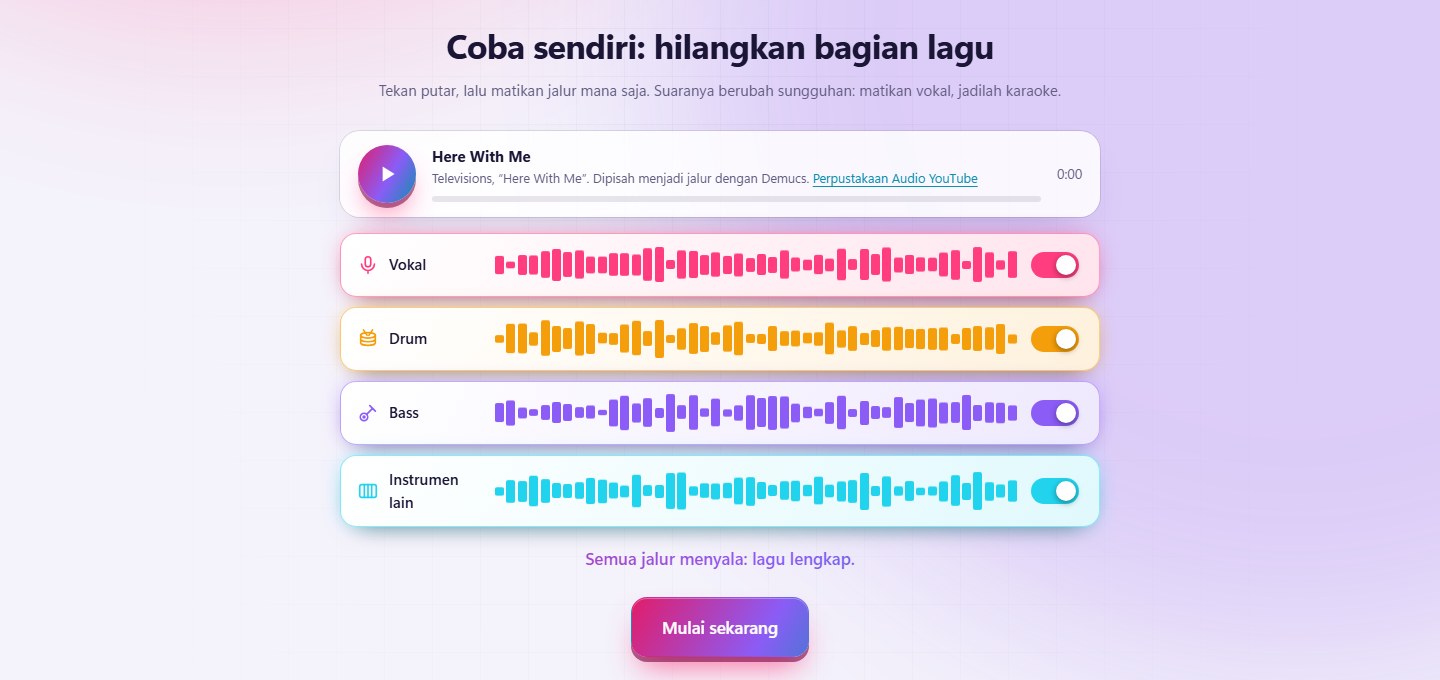
Try it right on the home page: press play, then switch off the vocal, drum, bass or other instrument tracks and hear the change.
MP3, WAV & MP4 Output
Download the result as MP3, WAV or an MP4 video without installing any app.
Computer & Phone
Opens in the browser on a computer or a phone, with an Open on phone button to switch devices.
Accounts & Email Verification
Users sign up with email verification and can reset their own password.
Admin Page
Admins see the registered users, download them as CSV and manage accounts.
Light & Dark Theme, ID/EN
The look can switch between light and dark, in Indonesian and English.
Screenshots
Captured directly from the running application.
Your Team Learns Quickly
Every app comes with a User Manual, which keeps employee training short.
Choose a song, choose what to remove, see the result, make a video, then record your voice.
Answers to common questions are on the main page.
Sign-up, email verification and forgot-password flows are in place.
Need a system like Studio Karaoke for your business?
Tell us what you need — we will help design, build and support it until it runs smoothly.
Contact via WhatsApp